As the title makes clear, I'll show you a practical way to convert cameras' own RAW file formats to JPG.
As you may know, the RAW format, favored especially by DSLR users, saves the image that hits the sensor straight from memory to storage, without any compression or correction. These files are in NEF format on Nikon cameras, while Canon cameras usually store them on the card with a CRW extension. Because these files take up a lot of space and can't be opened in standard image viewers, you often need to convert them to JPG, a more familiar but compressed format.
So, we have hundreds of RAW files — what's the most practical way to turn them into JPGs? Automator, of course.
First, we create a new workflow in Automator:
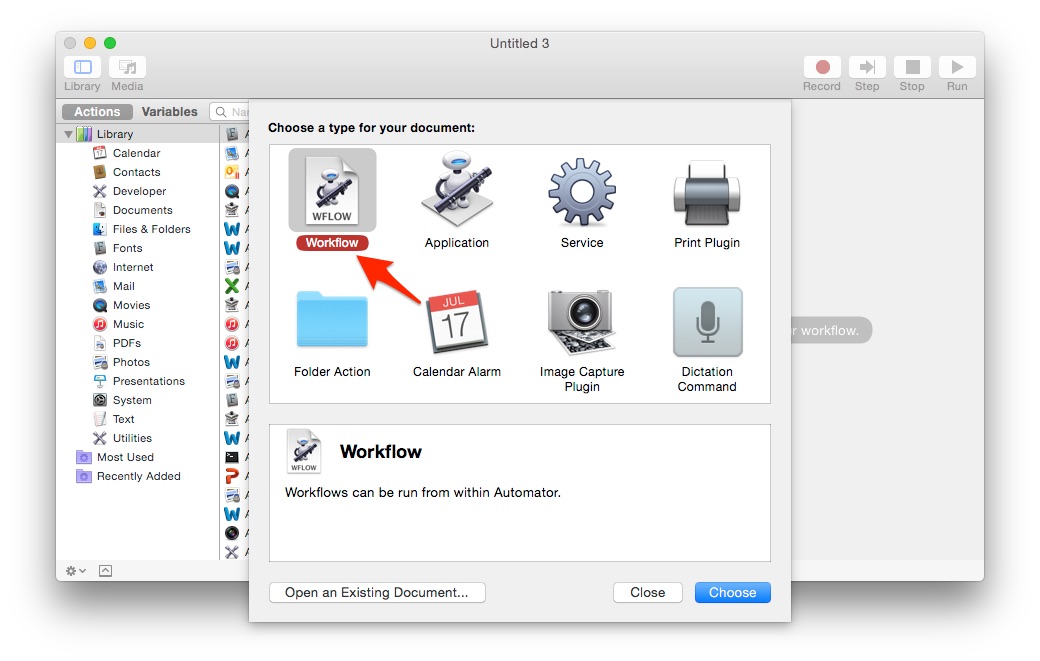
Then drag these actions, in order, to the right-hand side:
- Get Specified Finder Items
- Copy Finder Items
- Change Type of Images
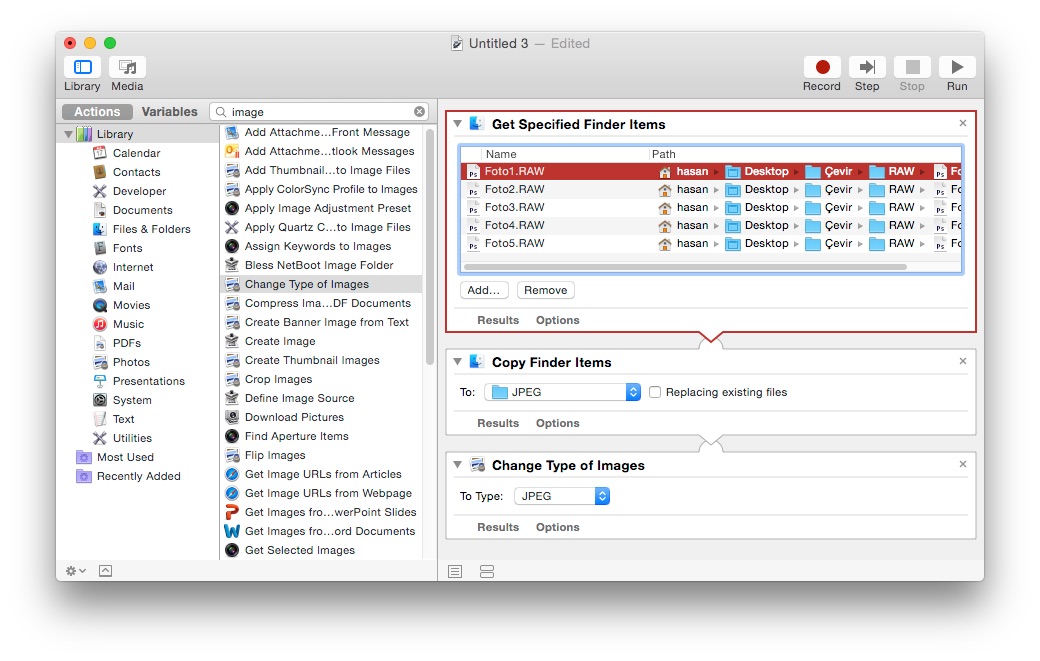
In the first action, select or drag in the folder or files containing your source RAW files. With "Copy Finder Items", which we added so our original files aren't compressed, point to the destination folder where you want copies of all the RAW files. The last step is to set the file type in the "Change Type of Images" action, which converts the files to JPG. Besides JPEG, you can also convert automatically to "BMP", "PNG" and "TIFF".
0 Comments
Leave a comment