
The internet takes up more of our lives every day, and as a result we spend far more time in front of a computer or with a smartphone or tablet in hand. Information is so easy to reach and we stay "connected" around the clock, which brings higher expectations for responsibility and productivity. To keep up with them, we find ourselves thinking about concepts that have only recently entered our lives. Interest in training, self-help books, methods and even software built around ideas like time optimization, increasing efficiency and process improvement is growing alongside it.
I've previously written about the RTM – Remember The Milk service in connection with GTD (Getting Things Done), a method that collects everything you need to do in an "inbox", sorts it, turns it into actions and prioritizes those actions over time. In this post I want to talk about a tiny but practical piece of software that blocks the distracting internet content many of you probably suffer from while sitting at the computer: SelfControl.
I don't know whether it happens to you, or how often, but whenever I need to work on a document for work or a post for the blog, after a while my attention drifts and I catch myself in a new Safari window reading Facebook, Twitter, Milliyet.com or ElmaDergisi.com! I say "catch myself" because I no longer even remember typing some of those URLs into the address bar. Purely out of habit, I hit refresh and get lost in content that never stops updating. Naturally it takes time to close all that tempting content and get back to the work I should be focusing on, and I end up using my time badly.
Others must have had the same problem, because someone built a program called SelfControl. It only runs on Mac OS, and what it does is very simple: for a period of time you choose, it blocks access to the sites on a list of URLs that you set up beforehand (or add to while the timer is running). In short, you ban yourself.
Of course, the other question is your willpower to respect a ban you placed on yourself. The developer must have thought of this too, because even if you quit the app or delete it, you can't reach the blocked sites until the time runs out*. And let me add that restarting your Mac doesn't help either.
SelfControl is a very small program with a very clean user interface:
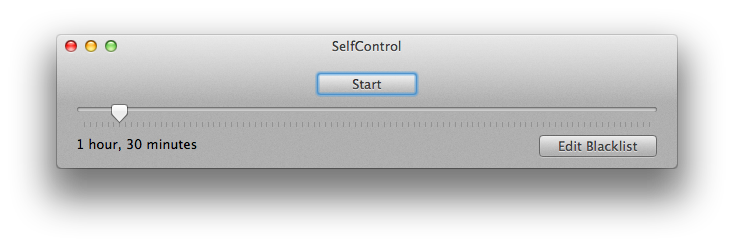
Clicking "Edit Blacklist" opens the list of sites you want blocked during the period you set. You can add and remove sites here:
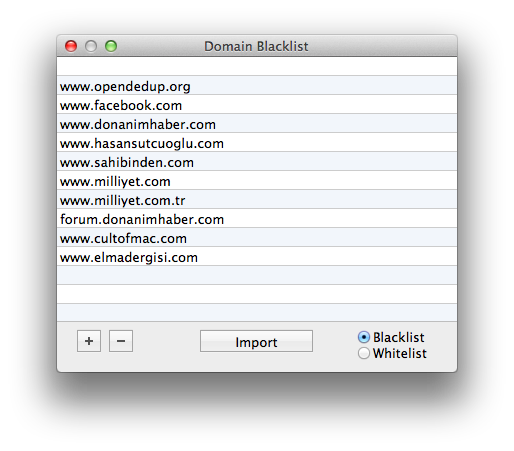
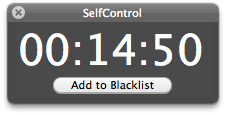
If you choose "Blacklist" in the lower-right corner, only the sites on the list are blocked. If you choose "Whitelist", every site except the ones on the list is blocked. Be careful with the whitelist so you don't cut yourself off from the entire internet. Once your list is ready, click "Start" to begin the timer. You'll need to enter your administrator password so the app can apply the block.
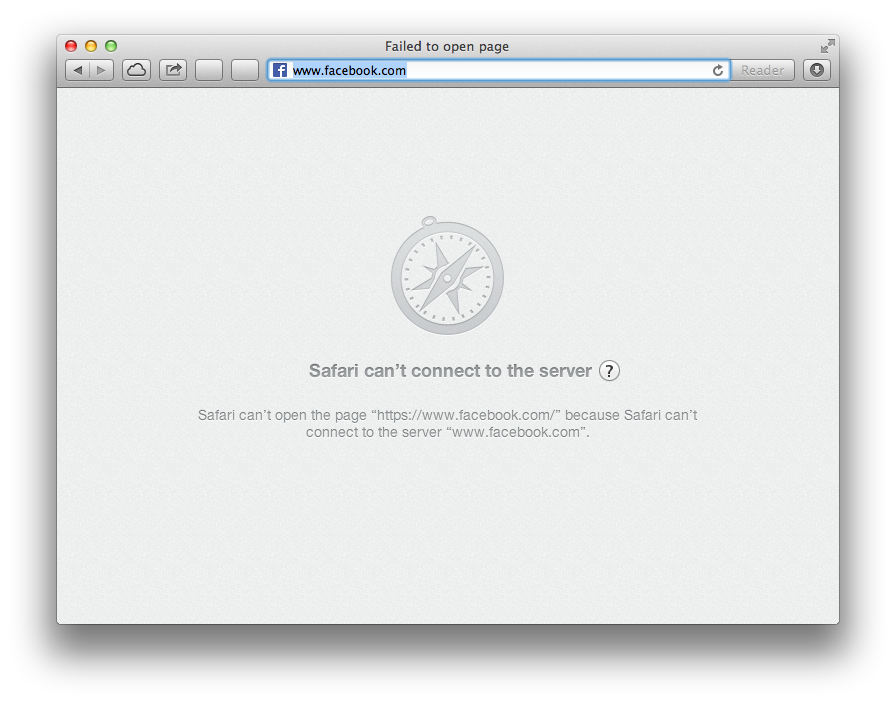
If you try to open one of the blocked sites before the time is up, you get an access error.
Finally, if you're one of those asking "I don't have an Apple, is there something similar for Windows?", you can try SelfRestraint. (Note: I haven't had a chance to try SelfRestraint myself, so I can't say how useful it is or go into details.)
SelfControl is free, and you can get it here.
Hasan
* To block the sites, the app edits a system file (I won't name it, so as not to make the app useless) and points the relevant domains to the wrong IP address. So of course it isn't impossible to lift the ban before the time is up — but if the goal is to fool ourselves, you could just open Facebook on your phone anyway.
0 Comments
Leave a comment